Blog ·
Walkthrough: a day at the door with Heimdal
One day at one door, screen by screen: setting the kiosk up, enrolling people, the walk-up itself, and what the office has by the end of the afternoon.
The screens below are shown with sample data — a made-up school, made-up names, and silhouettes instead of faces. Nothing here belongs to a real person.
1. The roster comes first
A group is a class, a department, a shift. Each one has a roster, and each person on it is either enrolled or waiting on a face scan.
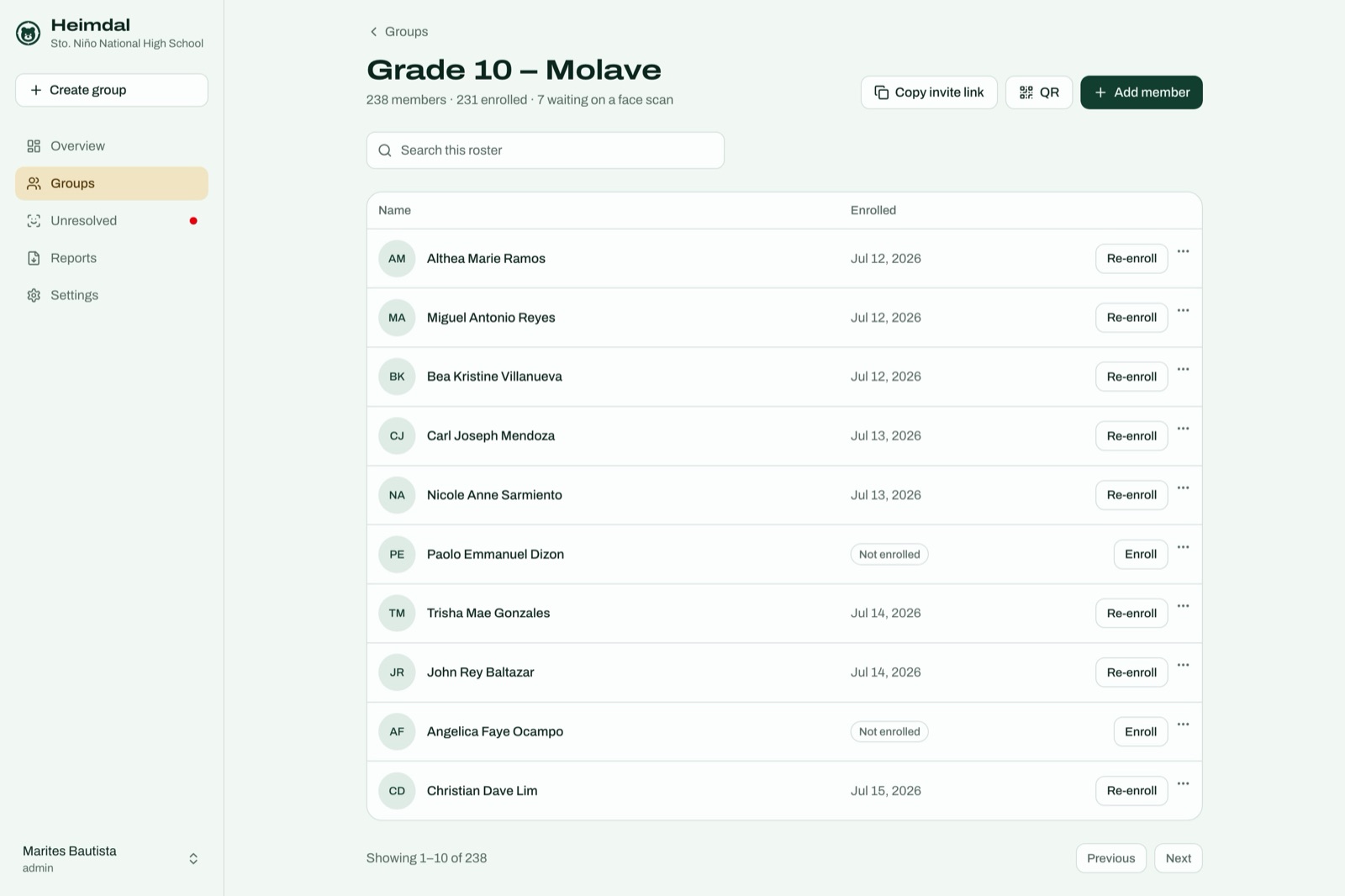
Enrolment asks for consent and stores the exact wording the person agreed to, not a tick against a policy that gets edited later. If somebody’s face changes enough to stop being recognised, Re-enroll sends a one time link instead of a trip to the office.
2. The walk-up
This is the part that has to be boring. The kiosk captures faces as people approach: no button, nothing to perform while a queue builds behind them.
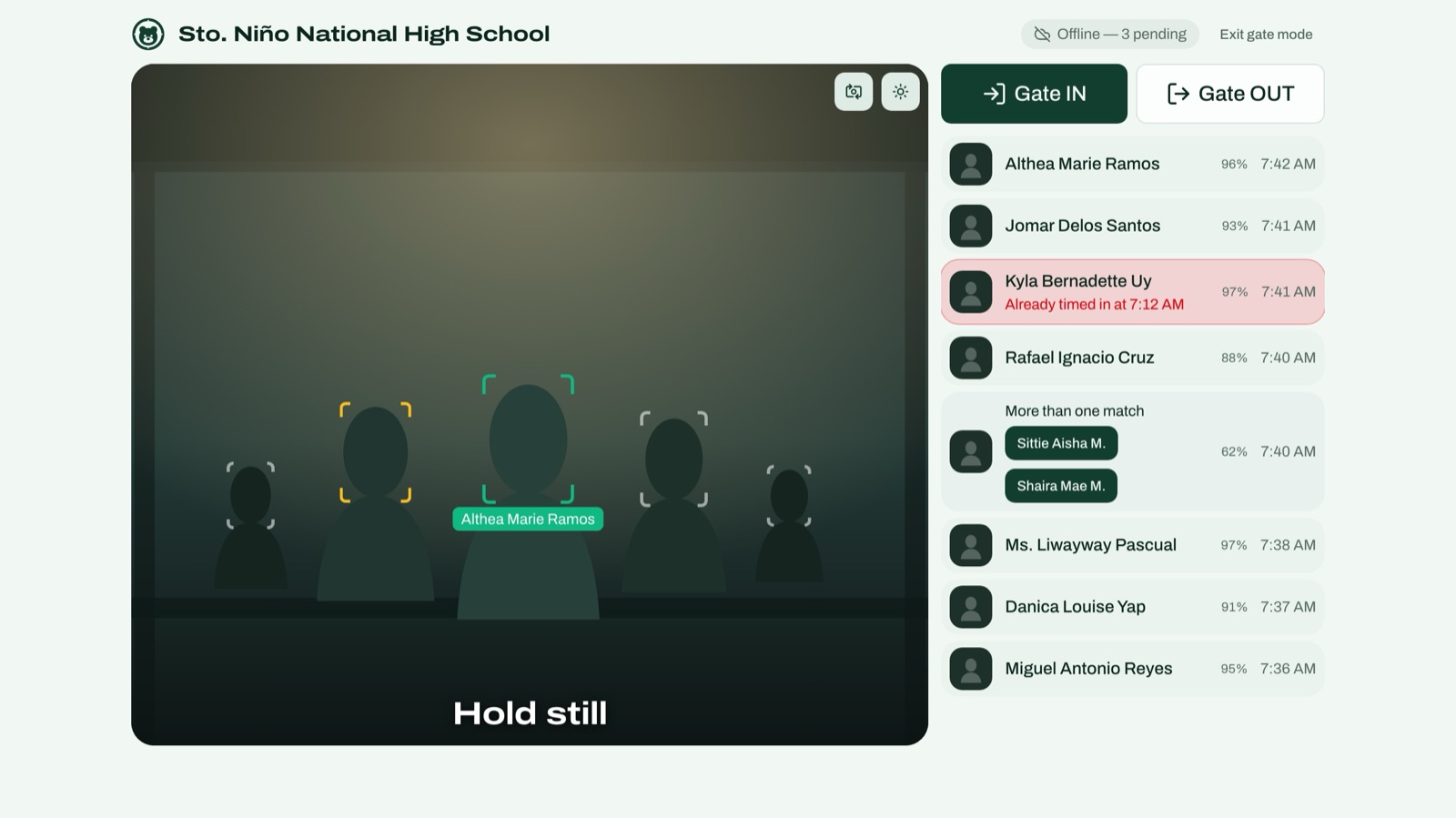
Several people arriving together are read at once. The right hand list is the receipt: who was recognised, how confident the match was, and at what time.
Three things in that one screen are worth pointing at. Somebody already timed in at 7:12 is flagged rather than counted twice. A pair who look alike produce More than one match and a choice, instead of a guess. And the header says Offline — 3 pending: the network is down, the door is still working, and three arrivals are waiting to be sent.
3. What the gate could not name
Some scans do not resolve: a face at a bad angle, somebody who never enrolled. They go to one list rather than quietly disappearing.
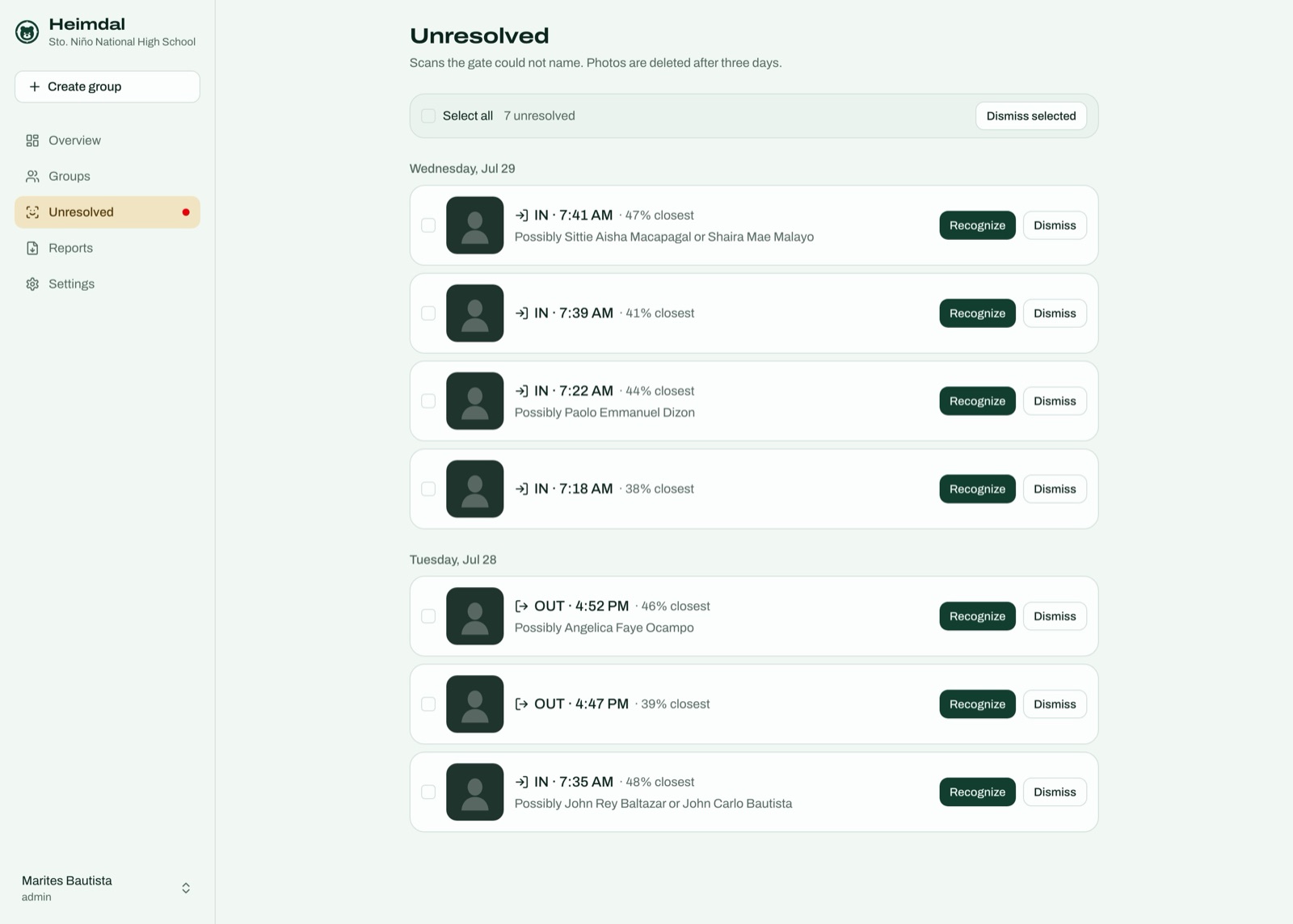
Staff name them or clear them. The photos behind them are deleted after three days, which is stated on the page rather than buried in a policy.
4. What the office sees
The overview is today at a glance: on site, timed in, timed out, and not yet timed in.
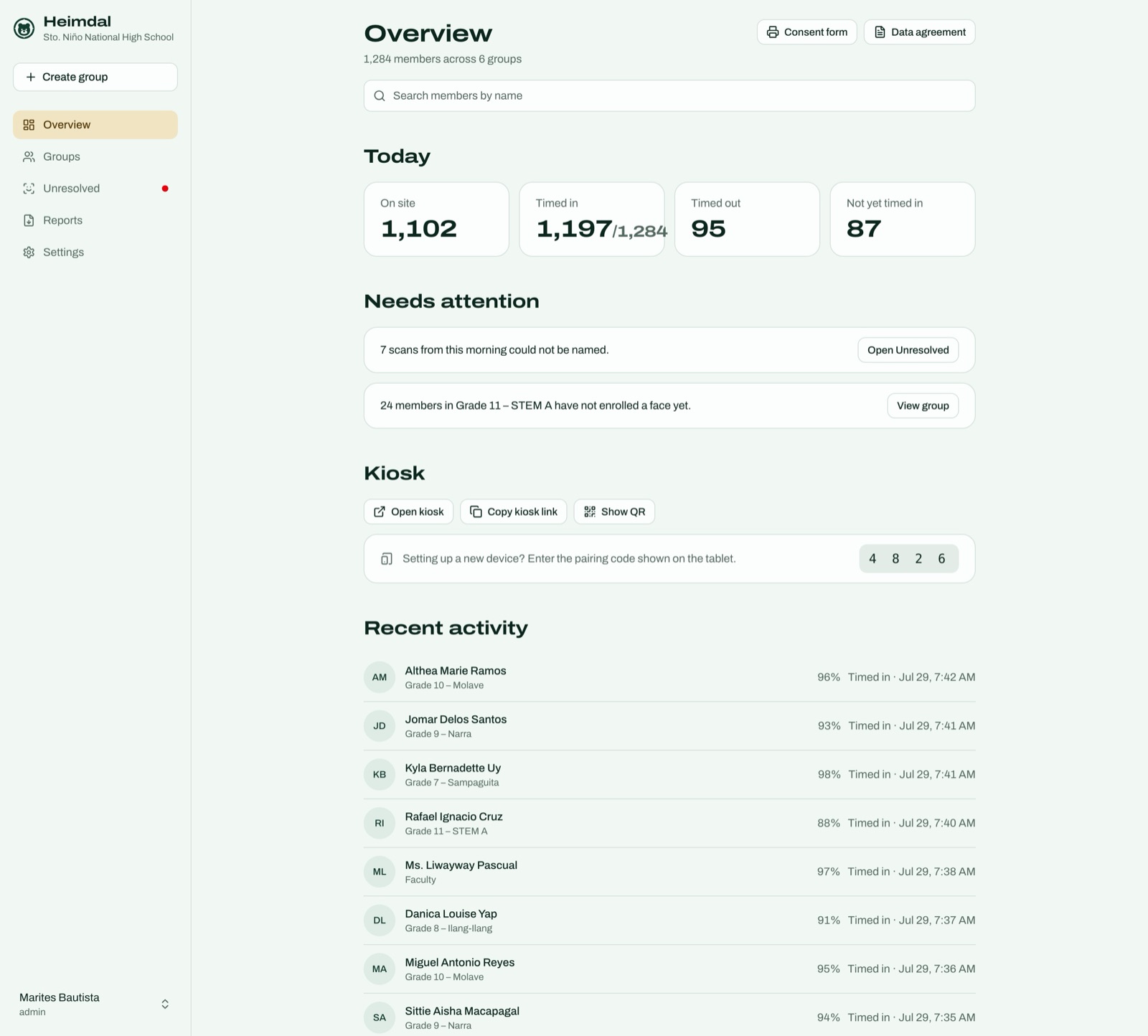
Needs attention is the part that saves the morning: scans nobody has resolved, and groups with people who have not enrolled a face yet. Under it is the kiosk section, where a new tablet is paired by typing the code it is showing — which is the whole of setting up another door.
5. The records
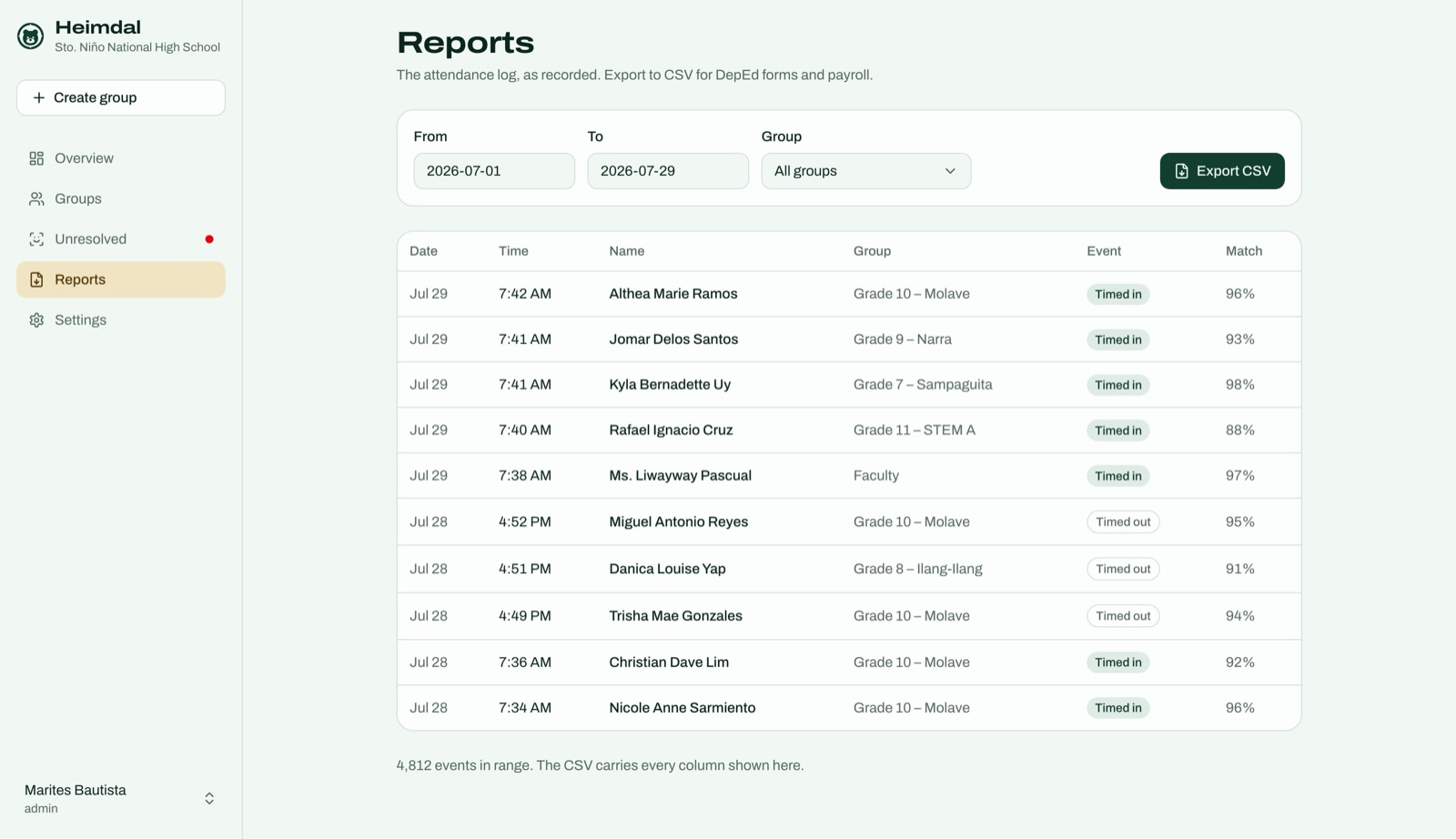
Reports is the attendance log: searchable, filterable to a group, and exportable to CSV for whatever the payroll or the register needs.
6. What the parent sees
Guardians get a page of their own, opened from a link or a printed QR code. No sign up, no app, no account to remember — one child, one page.
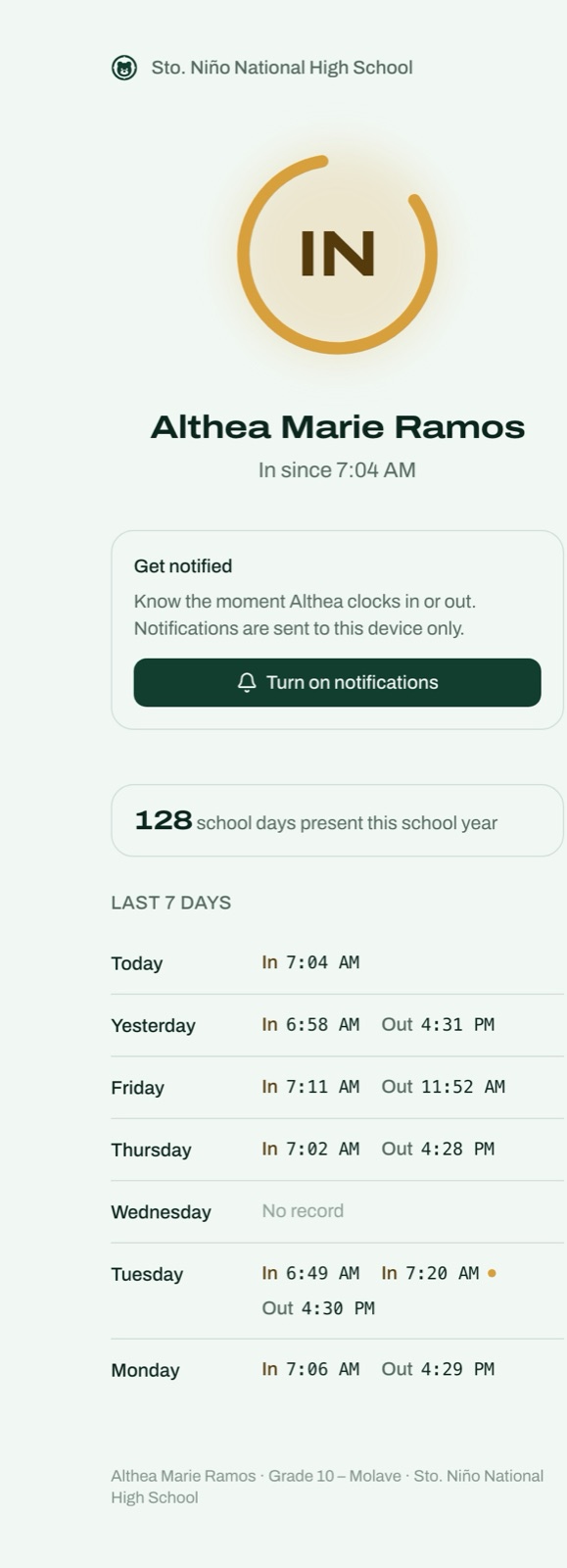
The dot next to Tuesday’s second In is two ins in a row — shown rather than tidied away.
The ring answers the only question most parents open it for. Under it, seven days of in and out times, and a holiday with no record instead of a gap that looks like an absence. Turn on notifications sends a push the moment the child arrives or leaves, to that device only.
7. The end of the day
Anyone who arrived but never scanned out is closed out automatically at day end, in the organisation’s own timezone. If the network was down for part of the afternoon — those three pending scans from the gate screen — the kiosk kept recording and sent everything when the line came back, and the reconciliation is careful not to invent an arrival or lose a departure.
Sensitive actions are written to an audit trail administrators can read, and a facility that would rather hold its own records can keep them in a data store it owns.